
Compose your own drum kit and drumline music in Notate, then tap Open in Drumr to practice what you've written. Try editing free for 7 days. Practicing imported scores in Drumr requires Drumr Premium.
Learn more →Upload MusicXML and MIDI files exported from Sibelius to create a Drumr (.drumr) file for playback in the Drumr app. Use our notation templates below to ensure proper note mapping.
The file creator and templates on this page are free. Opening imported scores in Drumr is included with Premium, so you can practice your own material with Drumr notation, audio, loops, Tempo Controls, and history.
MyScore.musicxml and MyScore.mid).or click to browse
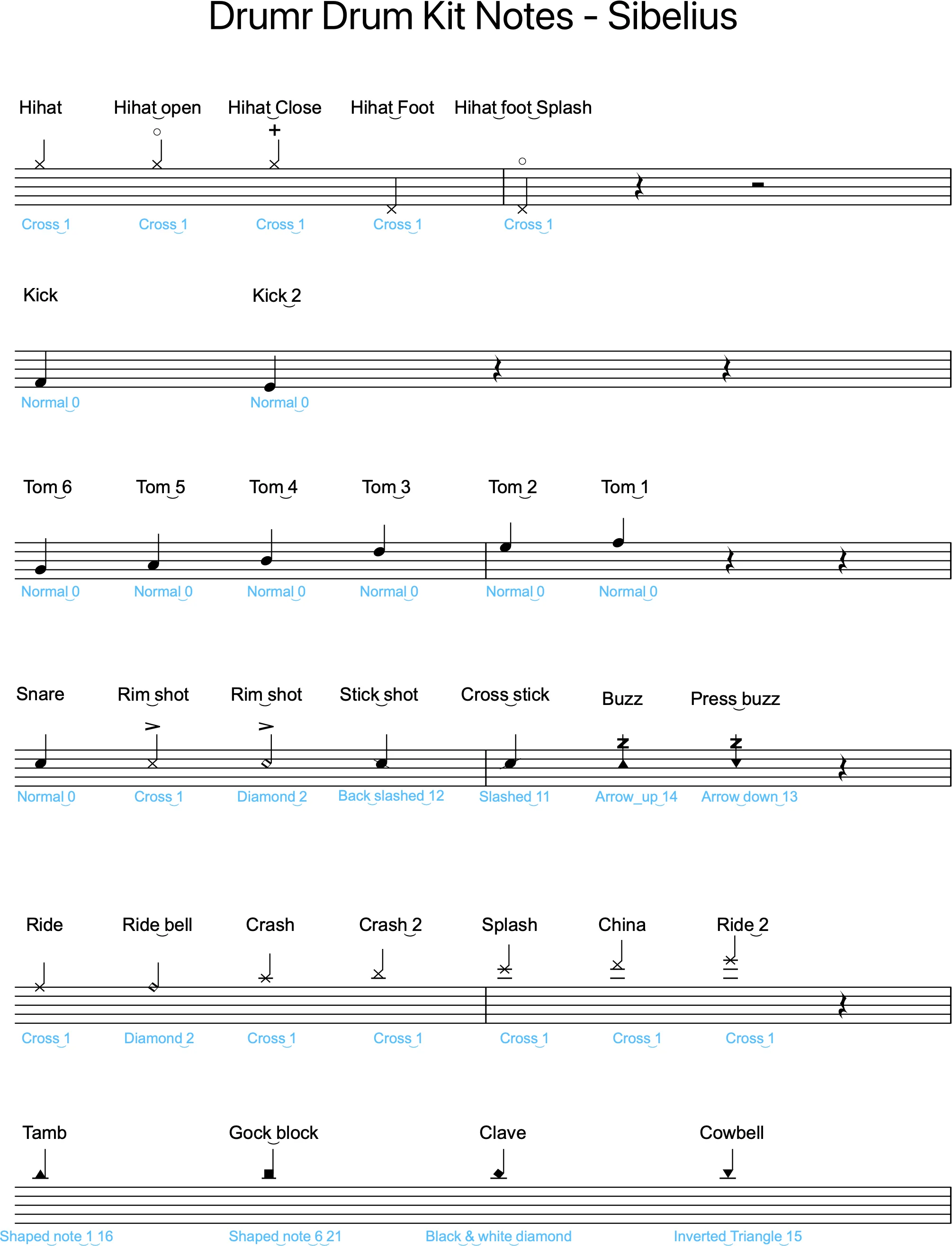
Free templates and samples for optimal display and playback in Drumr. Each download includes Sibelius (.sib) and Drumr (.drumr) files. Requires Sibelius 2025.10+.
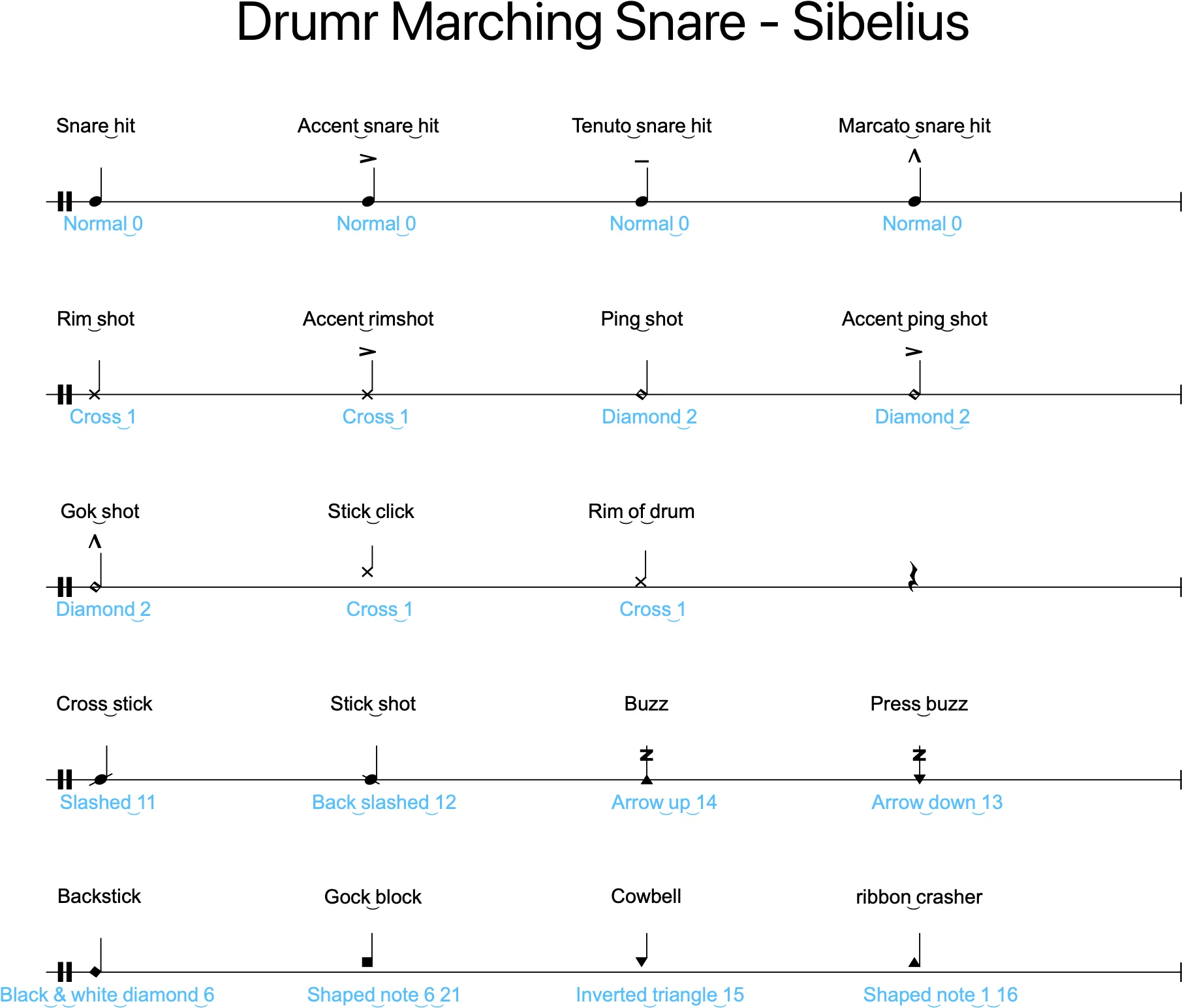
Single-line staff with standard noteheads for marching snare notation.
Download Files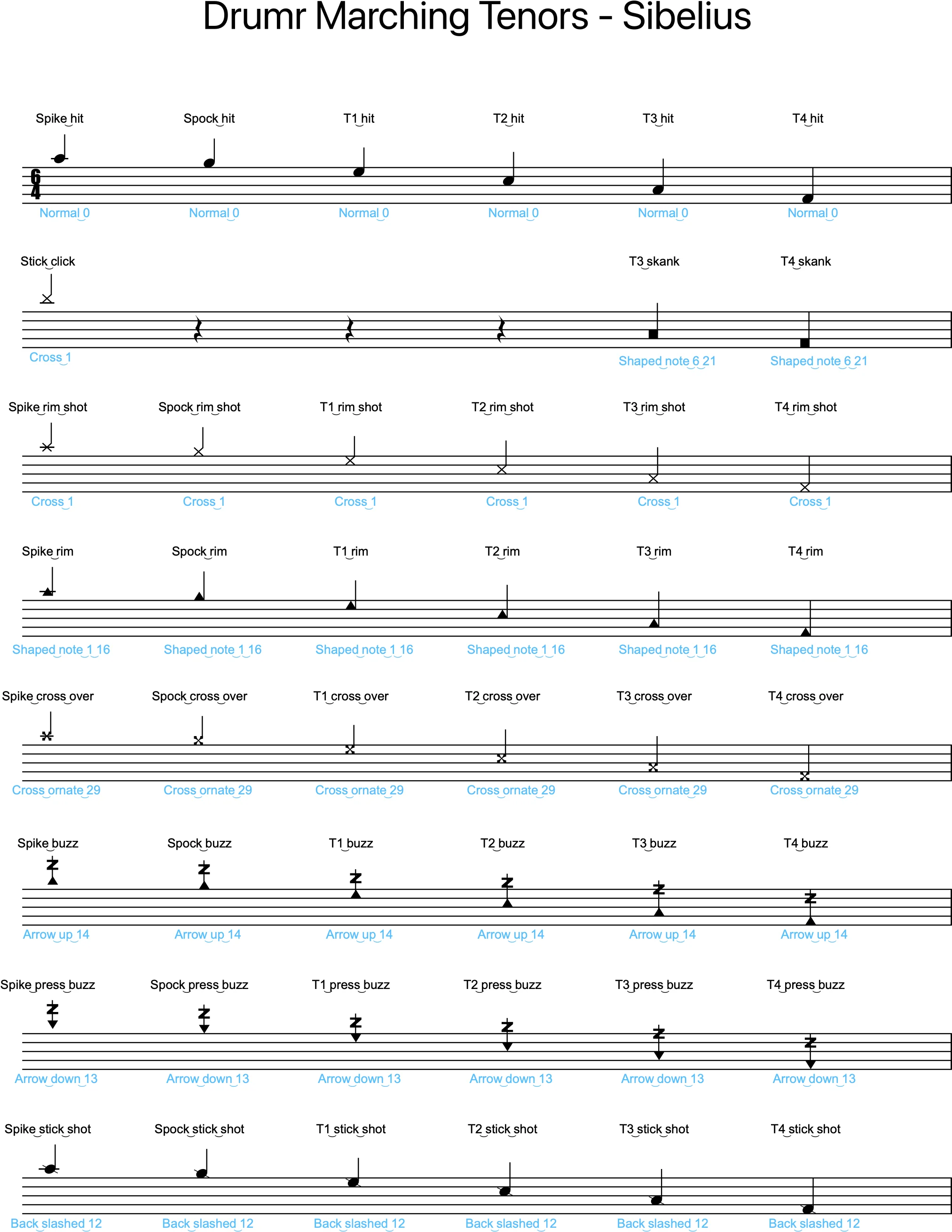
Five-line staff with standard noteheads for marching tenors notation.
Download Files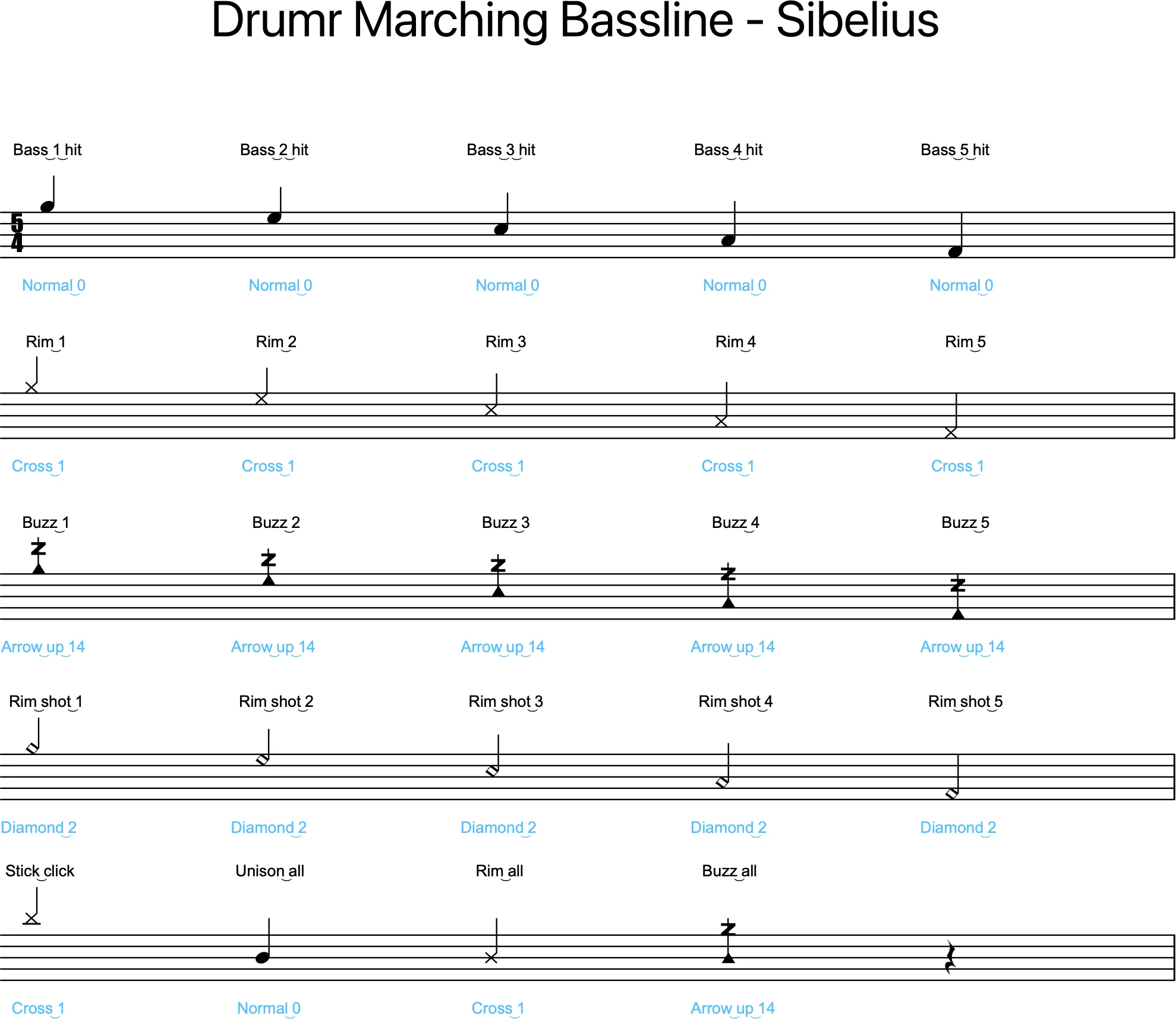
Five-line staff with standard noteheads for marching bassline notation.
Download Files